Android Security: Protecting Your Device from Phishing and Scams
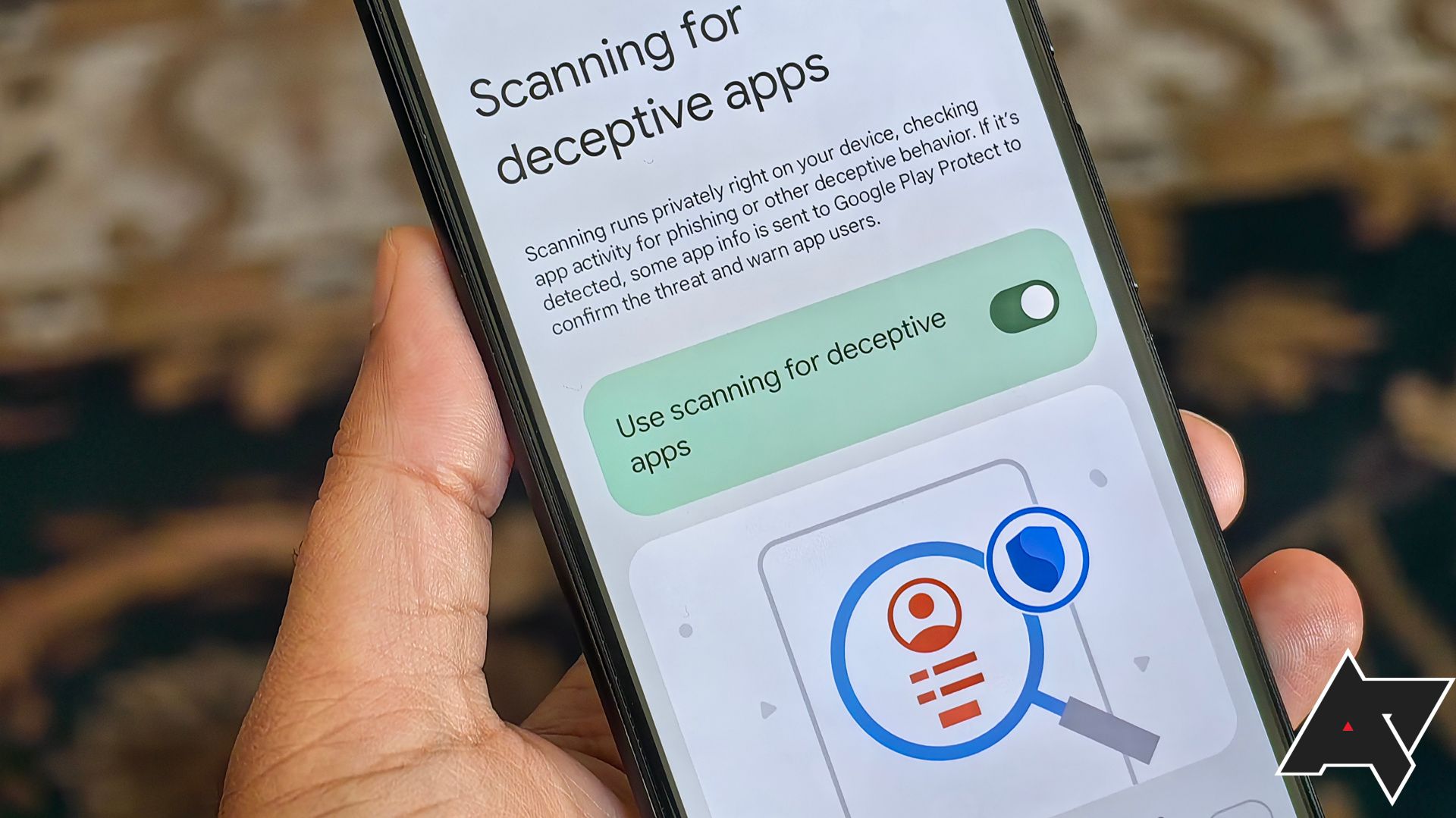
Android Security: Staying Safe From Scammers
Hey there, tech-savvy friends! Let’s talk about something that can make even the most seasoned Android user sweat: scams and phishing attempts. Picture this: you’re chilling, scrolling through your phone, maybe eyeing that sweet deal on the latest gadget, when BAM! A dodgy link, a too-good-to-be-true offer, or a message from someone claiming to be your bank sends shivers down your spine. Sound familiar? It’s like navigating a digital minefield, isn’t it?
Now, you might be thinking, "I'm too smart to fall for that stuff!" And hey, maybe you are! But these scammers are getting craftier than ever. They're like the ninjas of the digital world, constantly evolving their tactics to trick even the most cautious users. It's no longer just those obviously fake emails from a Nigerian prince (remember those?). We’re talking sophisticated schemes that look legit, preying on your fears, your desires, and sometimes, just plain old human error.
We’ve all heard the horror stories: the friend who clicked a link and had their Instagram account hijacked, the family member who lost money to a fake charity, or the colleague who got a ransomware infection on their phone after downloading a seemingly harmless app. It’s enough to make you want to throw your phone into the nearest volcano, right? But hold on! Before you resort to such drastic measures, let’s arm ourselves with some knowledge and turn our Android devices into fortresses of security.
Think of your Android phone as your digital Swiss Army knife. It's got everything: your contacts, your bank details, your social media accounts, your embarrassing selfies... basically, your whole life! Losing control of that device can be devastating. But don't worry, because in this article, we're going to dive deep into the world of Android security and show you exactly how to protect yourself from these digital bandits.
We’re not just going to give you generic advice like "be careful what you click." We're going to get into the nitty-gritty: how to spot a phishing attempt from a mile away, how to secure your accounts with rock-solid passwords, how to use the built-in security features of your Android phone, and how to keep your apps from spying on you. We'll also cover some lesser-known tricks and tips that even the pros use to stay safe online.
Think of this article as your personal Android security bootcamp. We'll break down the complex jargon, explain the technical stuff in plain English, and give you actionable steps you can take right now to improve your device's security. We’ll be your guide, your mentor, and your digital bodyguard.
So, are you ready to become an Android security master? Are you ready to laugh in the face of scammers and phishers? Then buckle up, grab your favorite beverage, and let's get started! Because honestly, who needs the stress of wondering if that "urgent" email from your "bank" is actually going to empty your account? Let's take control of our digital lives and make our Android devices the impenetrable fortresses they deserve to be! Let’s find out how to make sure your Android device isn't the next victim.
Understanding the Threats: Phishing and Scams on Android
Alright, friends, let's get down to brass tacks. What exactly are we fighting against? Let's break down the key threats you're likely to encounter on your Android device.
Phishing: The Art of Deception
Phishing, in essence, is the digital equivalent of a con artist. Scammers use deceptive emails, messages, websites, or even phone calls to trick you into revealing sensitive information. This could be your passwords, credit card details, social security number, or any other personal data they can use for malicious purposes.
• Spotting the Phish: Look out for emails or messages with urgent requests, poor grammar, suspicious links, or a sense of panic. Legitimate organizations rarely ask for sensitive information via email. Always verify the sender's address and hover over links before clicking to see where they lead. Trust your gut – if something feels off, it probably is.
• Examples in the Wild: Imagine getting an email that looks like it's from your bank, saying your account has been compromised and you need to verify your information immediately. Or perhaps a text message claiming you've won a free gift card but need to enter your credit card details to claim it. These are classic phishing tactics.
• The Dangers: The consequences of falling for a phishing scam can be severe. Identity theft, financial loss, and compromised accounts are just a few of the potential outcomes.
Scams: The Grand Illusion
Scams are broader than phishing and encompass a wide range of fraudulent schemes designed to trick you out of your money, personal information, or both. They often exploit your emotions, desires, or fears to manipulate you into taking action.
• Fake Apps: Scammers create fake apps that mimic legitimate ones, often with slight variations in the name or logo. These apps may contain malware, steal your data, or bombard you with ads. Always download apps from the official Google Play Store and carefully check the developer's name and reviews before installing anything.
• Lottery and Prize Scams: You receive a message claiming you've won a lottery or prize you never entered. To claim your winnings, you're asked to pay a "processing fee" or provide your bank details. This is a classic scam.
• Tech Support Scams: You receive a call or message from someone claiming to be from a tech support company, saying your device has a virus or security issue. They'll try to convince you to give them remote access to your device or pay for unnecessary services.
• Romance Scams: Scammers create fake online profiles and build relationships with their victims, often over weeks or months. Once they've gained their trust, they'll start asking for money for various fabricated emergencies.
• The Reality Check: Scams often rely on creating a sense of urgency or playing on your emotions. Always take a step back, do your research, and consult with a trusted friend or family member before making any decisions.
Fortifying Your Android: Practical Security Measures
Now that we know what we're up against, let's get to the good stuff: how to protect your Android device from these threats.
• Strong Passwords and Biometrics: The Foundation of Security
• Use Strong, Unique Passwords: It sounds basic, but it's crucial. Use a combination of uppercase and lowercase letters, numbers, and symbols. Avoid using easily guessable information like your birthday or pet's name. A password manager can help you generate and store strong passwords.
• Enable Biometric Authentication: Take advantage of your phone's fingerprint scanner or facial recognition. These methods are more secure and convenient than traditional PINs or passwords.
• App Security: Your First Line of Defense
• Download Apps from the Google Play Store: While not foolproof, the Play Store has security measures in place to detect and remove malicious apps. Avoid downloading apps from third-party sources, as they are often riddled with malware.
• Check App Permissions: Before installing an app, carefully review the permissions it requests. Does a flashlight app really need access to your contacts or location? Be wary of apps that ask for excessive permissions.
• Keep Your Apps Updated: App updates often include security patches that fix vulnerabilities exploited by scammers. Enable automatic app updates to ensure you're always running the latest versions.
• Secure Your Accounts: Locking Down Your Digital Life
• Enable Two-Factor Authentication (2FA): This adds an extra layer of security to your accounts. Even if someone manages to steal your password, they'll still need a second factor, like a code sent to your phone, to access your account.
• Review Account Permissions: Periodically review the apps and websites that have access to your Google account. Revoke access to any apps or services you no longer use.
• Use a Password Manager: A password manager can generate strong, unique passwords for all your accounts and store them securely. This eliminates the need to remember multiple passwords and reduces the risk of using the same password across multiple sites.
• Network Security: Staying Safe on Public Wi-Fi
• Use a VPN on Public Wi-Fi: Public Wi-Fi networks are often unsecured, making them vulnerable to eavesdropping. A VPN (Virtual Private Network) encrypts your internet traffic, protecting your data from hackers.
• Avoid Sensitive Transactions on Public Wi-Fi: Refrain from accessing your bank accounts, making online purchases, or entering sensitive information on public Wi-Fi networks.
• Check for HTTPS: When browsing websites, look for "HTTPS" in the address bar. This indicates that the website is using encryption to protect your data.
• Device Security: Locking Down Your Phone
• Enable Screen Lock: Use a strong PIN, password, or biometric lock to prevent unauthorized access to your device.
• Enable Find My Device: This feature allows you to locate, lock, or wipe your device remotely if it's lost or stolen.
• Keep Your Android OS Updated: Android updates often include security patches that fix vulnerabilities exploited by scammers. Enable automatic system updates to ensure you're always running the latest version.
Spotting Red Flags: Identifying Phishing and Scam Attempts
Let's sharpen our detective skills and learn how to spot those sneaky scammers.
• Grammar and Spelling Errors: Phishing emails and messages often contain grammatical errors and typos. Legitimate organizations typically have professional writers and editors who proofread their communications.
• Suspicious Links: Hover over links before clicking to see where they lead. If the URL looks unfamiliar or doesn't match the sender's website, don't click it.
• Urgent Requests: Scammers often create a sense of urgency to pressure you into acting quickly without thinking. Be wary of emails or messages that demand immediate action.
• Generic Greetings: Phishing emails often use generic greetings like "Dear Customer" or "Dear Account Holder." Legitimate organizations typically address you by name.
• Inconsistencies: Look for inconsistencies in the sender's email address, website URL, or phone number. Scammers often use slight variations of legitimate addresses to trick you.
• Too Good to Be True Offers: If something sounds too good to be true, it probably is. Be wary of offers that promise huge discounts, free prizes, or guaranteed profits.
• Unsolicited Contact: Be suspicious of unsolicited emails, messages, or phone calls from companies or organizations you don't recognize.
Advanced Security Tips: Taking Your Protection to the Next Level
Ready to become an Android security ninja? Let's delve into some advanced tips to further fortify your device.
• Review App Permissions Regularly: Android allows you to review and modify app permissions even after you've installed them. Periodically check your app permissions and revoke access to any permissions that seem unnecessary. Go to Settings > Apps > (Select App) > Permissions.
• Use a Security App: Consider installing a reputable security app like Bitdefender Mobile Security or Norton Mobile Security. These apps offer features like malware scanning, web protection, and anti-theft tools.
• Encrypt Your Device: Encrypting your device protects your data by scrambling it, making it unreadable to unauthorized users. To encrypt your device, go to Settings > Security > Encryption.
• Use a Secure Browser: Consider using a browser with built-in security features like Brave or Firefox Focus. These browsers block trackers, ads, and other privacy-invasive elements.
• Be Careful What You Share Online: Be mindful of the information you share on social media and other online platforms. Scammers can use this information to target you with personalized phishing attacks.
• Educate Yourself: Stay up-to-date on the latest phishing and scam tactics. The more you know, the better equipped you'll be to protect yourself.
Real-World Examples: Learning from Others' Mistakes
Let's take a look at some real-world examples of Android scams and phishing attempts to understand how they work and how to avoid them.
• The Fake Banking App: A user downloaded a fake banking app from a third-party app store. The app looked identical to the real banking app but contained malware that stole the user's login credentials. The user lost a significant amount of money from their account.
• Lesson Learned: Always download apps from the official Google Play Store and carefully check the developer's name and reviews before installing anything.
• The Lottery Scam: A user received a text message claiming they had won a lottery they never entered. To claim their winnings, they were asked to pay a "processing fee" of $500. The user sent the money but never received any winnings.
• Lesson Learned: Be wary of offers that seem too good to be true. Never pay money to claim a prize or lottery you never entered.
• The Tech Support Scam: A user received a phone call from someone claiming to be from Microsoft tech support. The caller said the user's computer had a virus and offered to fix it for a fee. The user gave the caller remote access to their computer, and the caller installed malware that stole their personal information.
• Lesson Learned: Be suspicious of unsolicited phone calls from tech support companies. Never give remote access to your computer to someone you don't trust.
What to Do If You've Been Scammed: Damage Control
Okay, so despite your best efforts, you think you might have fallen for a scam. Don't panic! Here's what to do:
• Change Your Passwords Immediately: If you think your password has been compromised, change it immediately on all your accounts. Use a strong, unique password for each account.
• Contact Your Bank or Credit Card Company: If you've provided your financial information to a scammer, contact your bank or credit card company immediately to report the fraud.
• Report the Scam: Report the scam to the Federal Trade Commission (FTC) or your local consumer protection agency. This helps law enforcement track down scammers and prevent others from falling victim.
• Monitor Your Accounts: Keep a close eye on your bank accounts, credit reports, and other financial accounts for any suspicious activity.
• Consider a Credit Freeze: A credit freeze prevents scammers from opening new accounts in your name.
• Learn from Your Mistakes: Reflect on what happened and identify any steps you could have taken to avoid the scam. Use this experience to improve your security practices in the future.
Staying Vigilant: The Ongoing Battle Against Scammers
Protecting your Android device from scams and phishing attempts is an ongoing process. Scammers are constantly evolving their tactics, so it's important to stay vigilant and keep your security knowledge up-to-date.
• Stay Informed: Read tech blogs, security news websites, and government alerts to stay informed about the latest scams and phishing tactics.
• Share Your Knowledge: Share your knowledge with your friends and family to help them protect themselves from scams.
• Be Skeptical: Always be skeptical of unsolicited emails, messages, or phone calls.
• Trust Your Gut: If something feels off, it probably is.
• Take Your Time: Don't be pressured into making quick decisions. Take your time to research and verify any offers or requests.
Android Security FAQs: Your Burning Questions Answered
Let's tackle some common questions about Android security.
•Q: Is my Android phone really at risk of getting a virus? •
A: Yes, while Android uses a sandboxed environment to protect itself, it's still vulnerable to malware, especially if you download apps from unofficial sources or click on suspicious links. Using a reputable security app and keeping your device updated can significantly reduce your risk.
•Q: What's the best way to create a strong password? •
A: Aim for at least 12 characters, using a mix of uppercase and lowercase letters, numbers, and symbols. Avoid using personal information like your name, birthday, or pet's name. A password manager can generate and store strong passwords for you.
•Q: I got a text message saying I won a free i Phone. Is it real? •
A: Probably not. These types of messages are almost always scams. They're designed to trick you into clicking a link that will steal your personal information or install malware on your device.
•Q: How do I know if an app is safe to download? •
A: Stick to the Google Play Store, check the developer's name, read reviews, and carefully review the app's permissions before installing. Be wary of apps that ask for excessive permissions.
So, friends, we've covered a lot of ground! We've explored the threats, learned how to identify them, and armed ourselves with practical security measures. Your Android device is now a fortress, ready to withstand the attacks of even the most cunning scammers. Now, the real question is, what are you going to do with all this newfound knowledge? Will you share it with your friends and family? Will you use it to protect your own digital life? The choice is yours! Start by enabling two-factor authentication on your most important accounts today. Remember, staying safe online is a journey, not a destination. Keep learning, stay vigilant, and never stop questioning. And hey, if you ever spot a suspicious email or message, don't hesitate to report it! You might just save someone else from falling victim to a scam. What are your biggest concerns about Android security? Share them in the comments below!

Post a Comment for "Android Security: Protecting Your Device from Phishing and Scams"
Post a Comment