Android Security: Protecting Your Device from Phishing and Scams
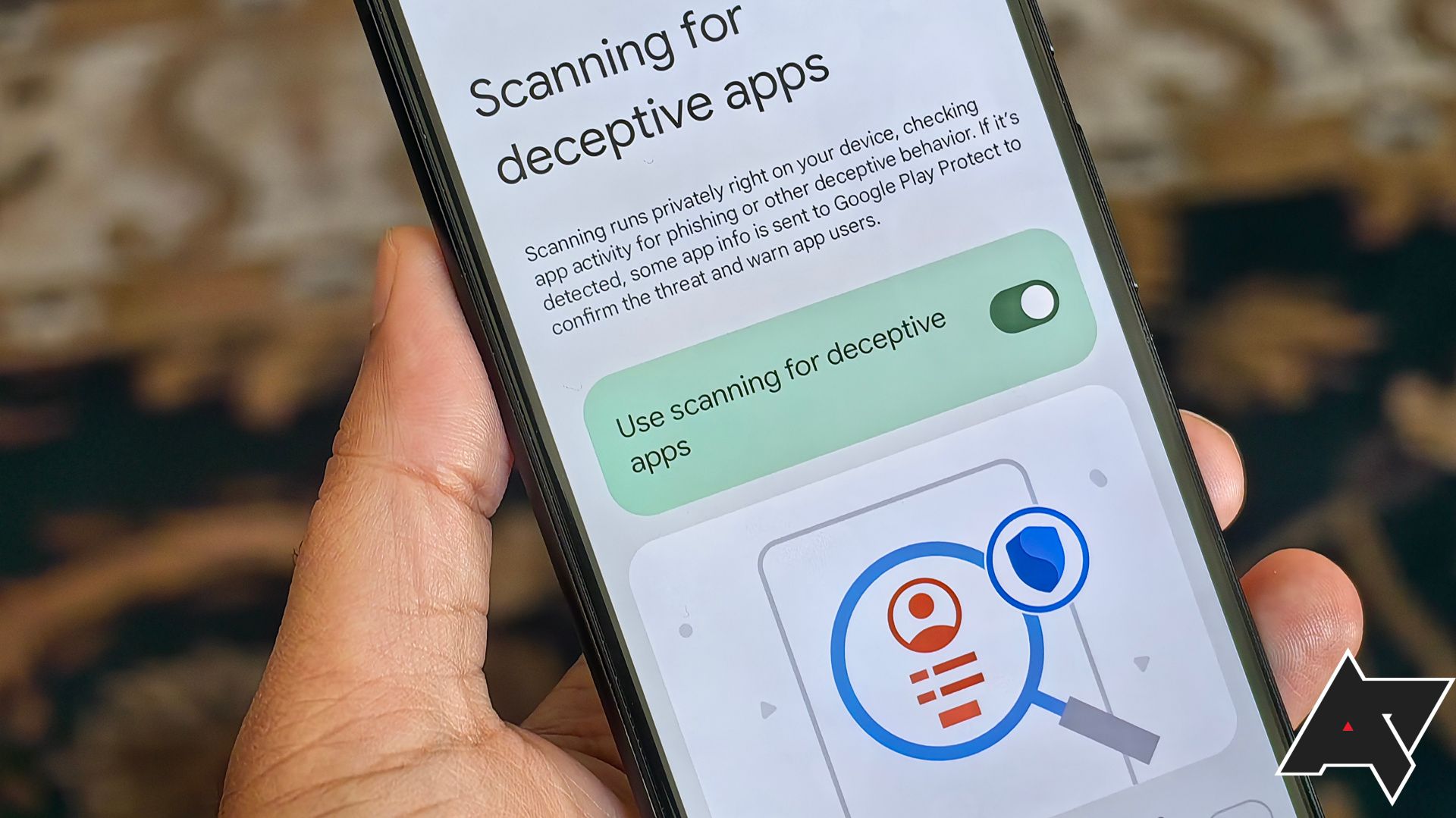
Android Security: Shielding Your Smartphone from Sneaky Scams and Phishing Attacks
Android security is something we oftenthinkabout, but rarelyactupon. Let's be honest, whoactuallyreads those privacy policies? We all just click "Agree," hoping for the best, right? But in a world where digital scams and phishing attacks are becoming increasingly sophisticated, relying on blind faith is no longer a viable strategy. Imagine this: you’re enjoying your afternoon coffee, scrolling through social media on your Android phone, and suddenly, a message pops up promising a free gift card. Sounds tempting, doesn’t it? Maybe alittletoo tempting? This, friends, is where the danger lurks.
This article is designed to be your friendly guide through the often-intimidating world of Android security. We'll break down the most common types of scams, explain how to identify phishing attempts, and, most importantly, equipyouwith the knowledge and tools needed to protect your precious data and hard-earned money. No technical jargon overload here! We'll keep it light, relatable, and full of practical tips you can implementtoday.
Think of your Android phone as a mini-vault holding your entire life – photos, bank details, personal conversations, everything! Letting your guard down is like leaving that vault door wide open for cybercriminals. They're not exactly the most honest bunch, are they?
From fake banking apps that drain your accounts to dodgy links that install malware, the threats are real and constantly evolving. The good news? You don’t need to be a tech genius to stay safe. A little awareness and some proactive measures can go a long way. We'll cover everything from setting up strong passwords and enabling two-factor authentication to recognizing suspicious emails and avoiding risky apps. We'll even delve into the dark corners of permissions and privacy settings, helping you understand exactly what information your apps are accessing and how to control it.
So, areyouready to take control of your Android security and become a digital fortress? Stick around, because we're about to dive deep into the world of protectingyourdevice from the digital baddies. Prepare to learn, laugh (maybe a little), and, most importantly, become a master of Android security! Let's get started, shall we? The digital jungle awaits.
Understanding Android Security Threats: Phishing and Scams Explained
Android devices, being as prevalent as they are, are prime targets for various security threats, particularly phishing attacks and scams. Let's demystify these threats soyoucan spot them a mile away.
What is Phishing?
Think of phishing as digital bait. Cybercriminals cast their "fishing" lines – usually in the form of emails, text messages, or social media posts – designed to lureyouinto revealing sensitive information. They often impersonate legitimate organizations like banks, government agencies, or even your favorite online store. They're banking on the fact that most people are in a hurry and won't take the time to carefully scrutinize the message.
The goal? To steal your usernames, passwords, credit card details, or other personal data. They might use this information to access your accounts, commit identity theft, or sell your data on the dark web. Remember that email from your "bank" asking you to "verify" your account details? Or that text message claiming you've won a free i Phone? Those are classic phishing attempts. Always hover over links before clicking them andneverenter personal information on a website you're not 100% sure about.
Recognizing Different Types of Scams on Android
The world of scams is vast and varied, constantly evolving to exploit new vulnerabilities and trends. On Android, these scams can take many forms: Fake Apps:These malicious apps masquerade as legitimate ones, often mimicking popular games or utilities. Once installed, they can steal your data, display intrusive ads, or even install malware.Alwaysdownload apps from the official Google Play Store andcarefullycheck the developer's reputation and reviews.
Tech Support Scams: These involve fraudsters claiming to be tech support representatives from companies like Microsoft or Google. They might contact you via phone, email, or even through a pop-up ad on your phone. They'll try to convinceyouthat your device has a serious problem and offer to "fix" it for a fee, often gaining remote access to your device in the process.Nevertrust unsolicited tech support calls or messages.
Lottery and Prize Scams: These scams promise incredible rewards in exchange for a small "processing fee" or personal information. If it sounds too good to be true, it almost certainly is.
Refund Scams: Scammers contact you, posing as a company or service, offering a refund. They ask for your bank details to process the refund, only to steal your money. Double-check with the supposed company directly through official channels.
Smishing Scams: Phishing done via SMS text messages. These are often short, urgent messages with links that lead to malicious websites.
The Role of Social Engineering in Android Security
Social engineering is a tactic used by scammers to manipulateyouinto giving them what they want. It relies on exploiting human psychology, using tactics like urgency, fear, and trust. For example, a scammer might send you an email claiming that your account has been compromised and that you need to reset your passwordimmediately. This creates a sense of urgency, which can cloud your judgment and make you more likely to fall for the scam.
Be skeptical of any unsolicited communication, especially those that demand immediate action or request personal information. Take a moment to think before you click, andalwaysverify the legitimacy of the sender before providing any information. Remember, a healthy dose of paranoia is your best defense against social engineering attacks.
Strengthening Your Android Defenses: Practical Steps for Security
Now thatyouunderstand the threats, let's talk about how to protectyour Android device. Here are some practical steps you can take to strengthen your defenses:
Implementing Strong Passwords and Two-Factor Authentication
Weak passwords are like leaving your front door unlocked. They're easy for criminals to crack. Create strong passwords that are at least 12 characters long and include a mix of uppercase and lowercase letters, numbers, and symbols. Avoid using easily guessable information like your birthday, pet's name, or address.
Password Managers: Consider using a password manager to generate and store strong, unique passwords for all your accounts. These apps can also automatically fill in your passwords when you visit websites or log into apps. Popular options include Last Pass, 1Password, and Bitwarden.
Two-factor authentication (2FA) adds an extra layer of security to your accounts. When enabled, you'll need to provide a second form of verification – typically a code sent to your phone – in addition to your password when logging in. This makes it much harder for hackers to access your accounts, even if they manage to steal your password. Enable 2FA on all your important accounts, including your Google account, email, social media, and banking apps.
Keeping Your Android System and Apps Updated
Software updates often include security patches that fix vulnerabilities exploited by hackers. Make sure your Android operating system and apps are always up to date.
Automatic Updates: Enable automatic updates in the Google Play Store and in your device's settings. This ensures that your apps and operating system are automatically updated with the latest security patches.
Be Wary of Delayed Updates: Ifyounotice your phone manufacturer is very slow in providing updates, it may be an indication they don't have the resources to keep their systems up to date and secure. Consider this when purchasing your next device.
Managing App Permissions and Privacy Settings
Apps often request access to sensitive information like your location, contacts, camera, and microphone. Review app permissionscarefullyand only grant access to information that is necessary for the app to function properly.
App Permissions Review: Regularly review the permissions granted to your apps and revoke access to any information that they don't need. You can do this in your device's settings under the "Apps" section.
Privacy Settings Configuration: Take the time to configure your privacy settings on your Android device. This includes controlling location tracking, ad personalization, and data sharing.
Safe Browsing Habits and Avoiding Suspicious Links
Be cautious when browsing the web on your Android device and avoid clicking on suspicious links or downloading files from untrusted sources.
Link Verification: Hover over links before clicking them to see the actual URL. If the URL looks suspicious or doesn't match the website you expect, don't click on it.
Secure Websites: Only enter sensitive information on websites that use HTTPS encryption. Look for the padlock icon in the address bar to confirm that the website is secure.
Antivirus Software: Consider installing a reputable antivirus app on your Android device to scan for malware and other security threats. While Android has built in protections, they are not perfect.
Securing Your Network Connection: Wi-Fi and VPNs
Public Wi-Fi networks are often unsecured, making them vulnerable to hackers. Avoid accessing sensitive information like banking details or personal emails when connected to a public Wi-Fi network.
VPN Usage: Use a virtual private network (VPN) to encrypt your internet traffic and protect your privacy when using public Wi-Fi.
Home Network Security: Secure your home Wi-Fi network with a strong password and enable WPA3 encryption.
Regular Data Backups for Android Security
Data loss can be devastating, especially ifyoudon't have a backup. Regularly back up your Android device to a secure location, such as a cloud storage service or an external hard drive.
Cloud Backup: Use Google Drive or other cloud storage services to automatically back up your data, including photos, videos, contacts, and app data.
Local Backup: You can also back up your data to an external hard drive using a USB cable.
Identifying and Responding to Phishing Attempts and Scams
Knowing how to identify and respond to phishing attempts and scams is crucial for protecting your Android device.
Recognizing the Red Flags of Phishing Emails and Messages
Phishing emails and messages often contain certain red flags that can help you identify them. Look out for the following: Generic Greetings:Phishing emails often use generic greetings like "Dear Customer" or "Dear User" instead of addressing you by name.
Urgent Language: Scammers often use urgent language to pressure you into taking immediate action.
Spelling and Grammar Errors: Phishing emails often contain spelling and grammar errors.
Suspicious Links: Phishing emails often contain links to malicious websites that look similar to legitimate websites.
Requests for Personal Information: Legitimate organizations willneverask you to provide sensitive information like your password or credit card details via email or text message.
Steps to Take if You Suspect a Phishing Attempt
If you suspect that you've received a phishing email or message,do notclick on any links or provide any personal information.
Report the Incident: Report the phishing attempt to the organization that the scammer is impersonating.
Delete the Message: Delete the suspicious email or message.
Change Your Passwords: If you suspect that your account has been compromised, change your passwordsimmediately.
Scan Your Device: Run a scan of your device with a reputable antivirus app to check for malware.
Reporting Scams and Fraudulent Activity
Reporting scams and fraudulent activity can help protect others from becoming victims.
FTC Complaint: File a complaint with the Federal Trade Commission (FTC).
FBI Internet Crime Complaint Center: Report the scam to the FBI's Internet Crime Complaint Center (IC3).
Google Play Store: If you downloaded a malicious app from the Google Play Store, report it to Google.
Educating Yourself and Others About Android Security
The best defense against phishing and scams is education. Stay informed about the latest security threats and share your knowledge with friends and family.
Security Blogs and Websites: Follow security blogs and websites to stay up-to-date on the latest threats and security best practices.
Share Information: Share your knowledge with others and help them protect themselves from phishing and scams.
Continuous Monitoring and Improving Your Android Security Posture
Protecting your Android device is not a one-time effort; it requires continuous monitoring and improvement.
Regularly Reviewing App Permissions and Usage Patterns
Asyouuse your Android device,youmay install new apps and change your usage patterns. Regularly review your app permissions and usage to identify any potential security risks.
App Usage Analysis: Use your device's built-in app usage analysis tools to identify apps that are consuming excessive resources or exhibiting suspicious behavior.
Permission Audit: Periodically audit the permissions granted to your apps and revoke any unnecessary permissions.
Staying Informed About the Latest Security Threats and Vulnerabilities
New security threats and vulnerabilities are constantly emerging. Stay informed about the latest threats and vulnerabilities by following security blogs, websites, and social media accounts.
Security Alerts: Subscribe to security alerts from reputable organizations to receive timely notifications about new threats and vulnerabilities.
Security News: Read security news articles and blog posts to stay informed about the latest security trends.
Adapting Your Security Practices to Evolving Threats
As security threats evolve,youneed to adapt your security practices accordingly. Be willing to change your passwords, update your software, and adjust your privacy settings as needed.
Risk Assessment: Regularly assess your security posture and identify any potential weaknesses.
Security Policy Updates: Update your security policies and procedures to address emerging threats and vulnerabilities.
Building a Security-Conscious Mindset
The most important aspect of Android security is building a security-conscious mindset. Be skeptical of unsolicited communication, think beforeyouclick, andalwaysverify the legitimacy of the sender before providing any personal information.
Critical Thinking: Develop your critical thinking skills and learn to question the informationyoureceive.
Security Awareness Training: Participate in security awareness training to learn about the latest threats and security best practices.
Remember, staying safe online is a team effort. By following these steps, you can significantly reduce your risk of falling victim to phishing attacks and scams and protect your Android device from harm.
So,friends, we've covered alotof ground, haven't we? We've dissected the sneaky world of phishing and Android scams, armed ourselves with practical steps to fortify our devices, and learned how to spot those red flags that scream "Danger!" like a klaxon in a silent movie. Now, it's time to put that knowledge into action. The digital world waits for no one, and neither should you when it comes to protectingyourprecious data.
The core takeaway is this: vigilance is key. Don't just blindly trust everything you see online. Take a moment to think before you click, scrutinize those emails and messages, and keep your software updated. A little bit of effort can go a long way in keeping the cybercriminals at bay.
Now, for the call to action*: Go through your Android phone right nowand review your app permissions. It takes less than five minutes, and you might be surprised at what some of your apps are accessing. Also, take the time to enable two-factor authentication on your most important accounts, if you haven't already. Seriously, do it! It's like adding an extra deadbolt to your digital front door.
Finally, let's leave you with a little motivation: Your digital security is worth fighting for. By taking these steps, you're not just protecting your phone; you're protecting your identity, your finances, and your peace of mind. Stay vigilant, stay informed, and stay safe!
So, tell us,what's the first thing you're going to do to improve your Android security today? Share your thoughts in the comments below! Let's create a community of digitally savvy individuals who are ready to take on the challenges of the online world!

Post a Comment for "Android Security: Protecting Your Device from Phishing and Scams"
Post a Comment