Android Security: Protecting Your Device from Phishing and Scams
Android Security: Taming the Wild West of Phishing and Scams
Ever feel like your Android phone is a magnet for all sorts of digital weirdos? From shady links promising free vacations (that somehow require your bank details) to urgent messages from your "bank" (that definitely isn't your bank), navigating the digital landscape can feel like dodging digital bullets. This article aims to equip you with the knowledge and tools needed to protect your Android device from the relentless barrage of phishing attacks and scams that threaten your personal data and financial security. It's a jungle out there,folks, but with a little know-how, you can become a securityninjaand keep those digital predators at bay. Ready to fortify your phone and outsmart the scammers? Let's dive in!
Understanding the Threat: Android Security and You
What is Phishing, Anyway?
Phishing is essentially digital trickery. It's when someone tries to steal your sensitive information – think passwords, credit card numbers, social security numbers – by disguising themselves as a trustworthy entity. They might send you a seemingly legitimate email, text message, or even a phone call, all designed to lure you into revealing confidential data. Imagine receiving an email thatlookslike it's from Google, urgently requesting you to update your password. Click the link, and boom – you're on a fake website controlled by the phisher, happily handing over your credentials. The Android ecosystem, being so widely used, is a prime target. Scammers knowmillionsof people use Android, making it a lucrative playground for their malicious activities.
Why Android Devices are Targeted
Android's popularity is a double-edged sword. While it's fantastic that so many people have access to powerful mobile technology, it also makes Android a massive target for cybercriminals. Think of it this way: if you were a bank robber, would you rob a bank in a small town with barely any customers, or a massive bank in a bustling city? The larger the potential victim pool, the more attractive it is to the bad guys. Plus, many users aren't aware of the security risks or how to protect themselves, making them easier targets. A little knowledge goes a long way in staying safe. So, Android security needsseriousattention.
Common Phishing Tactics on Android
Scammers are crafty, constantly evolving their techniques to stay one step ahead. Here are some common phishing tactics you might encounter on your Android device: Fake Banking Apps: These apps mimic legitimate banking apps but are designed to steal your login credentials. They might lookexactlylike the real thing, making it difficult to spot the difference. SMSishing (SMS Phishing): Phishing via text message. You might receive a text claiming you've won a prize, need to verify your account details, or have a package waiting for delivery. These texts often contain malicious links that lead to fake websites.Bewareof urgent messages! Email Phishing: The classic method. Phishing emails often impersonate well-known companies or organizations, such as banks, social media platforms, or online retailers. Fake Antivirus Software: These apps claim to protect your device from viruses but are actually malware designed to steal your data or display aggressive ads.Trustis crucial. Tech Support Scams:You might receive a phone call or pop-up message claiming your device has a virus and you need to call a "tech support" number. They'll then try to trick you into giving them remote access to your device or paying for unnecessary services.
The Consequences of Falling for a Phishing Scam
The consequences of falling for a phishing scam can range from mild inconvenience to severe financial and emotional distress. Imagine the sinking feeling of realizing your bank account has been drained, or your identity has been stolen. Here's a glimpse of what could happen: Financial Loss: Scammers can use your stolen credit card details to make unauthorized purchases, drain your bank account, or even take out loans in your name. Identity Theft: With your personal information, scammers can open fraudulent accounts, apply for government benefits, or even commit crimes in your name. Malware Infections: Clicking on malicious links can infect your device with malware, which can steal your data, track your activity, or even encrypt your files and hold them for ransom. Emotional Distress: Being a victim of a phishing scam can be incredibly stressful and upsetting. The feeling of being violated and the fear of what the scammers might do with your information can take a toll on your mental health. Data Breach Exposure:If a scammer gains access to your email account or other online accounts, they can potentially access a wealth of personal information, including your contacts, photos, and documents.
Fortifying Your Defenses: Practical Android Security Tips
Enable Two-Factor Authentication (2FA) on Everything
Two-Factor Authentication (2FA) is like adding an extra lock to your front door. It requires you to provide two forms of identification when logging into an account, such as your password and a code sent to your phone. Even if a scammer manages to steal your password, they won't be able to access your account without that second factor. Implementthis on every account possible. Think Gmail, Facebook, banking apps – the works! It’s one of the most effective ways to protect yourself.
Keep Your Android Device and Apps Updated
Software updates often include security patches that fix vulnerabilities that scammers can exploit. Think of it as patching up holes in your armor. Enable automatic updates to ensure your device and apps are always running the latest versions. This is acrucialstep, and it's often overlooked.
Be Wary of Suspicious Links and Attachments
This isrule number onein the world of online safety. Never click on links or open attachments from unknown or untrusted sources. Even if the email or text message looks legitimate, double-check the sender's address and hover over the link to see where it leads before clicking. If anything seems fishy,err on the side of cautionand delete it. Contact the sender directly through a known, verified channel to confirm its authenticity.
Use a Strong and Unique Password for Each Account
Reusing the same password for multiple accounts is like using the same key for your house, car, and office. If a scammer gets hold of that key, they can access everything. Use a password manager to generate and store strong, unique passwords for each of your accounts. A strong password should be at least 12 characters long and include a mix of uppercase and lowercase letters, numbers, and symbols.Thisis critical.
Review App Permissions Carefully
Before installing an app, take a moment to review the permissions it requests. Does a flashlight app really need access to your contacts or location? Be skeptical of apps that ask for excessive permissions. Only install apps from trusted sources like the Google Play Store, and even then, read the reviews and check the developer's reputation.Don'tjust blindly click "allow" on everything.
Install a Reputable Antivirus App
While Android has built-in security features, installing a reputable antivirus app can provide an extra layer of protection against malware and other threats. Choose an app from a well-known vendor with a good track record.Lookfor independent reviews and ratings before making a decision.
Enable Google Play Protect
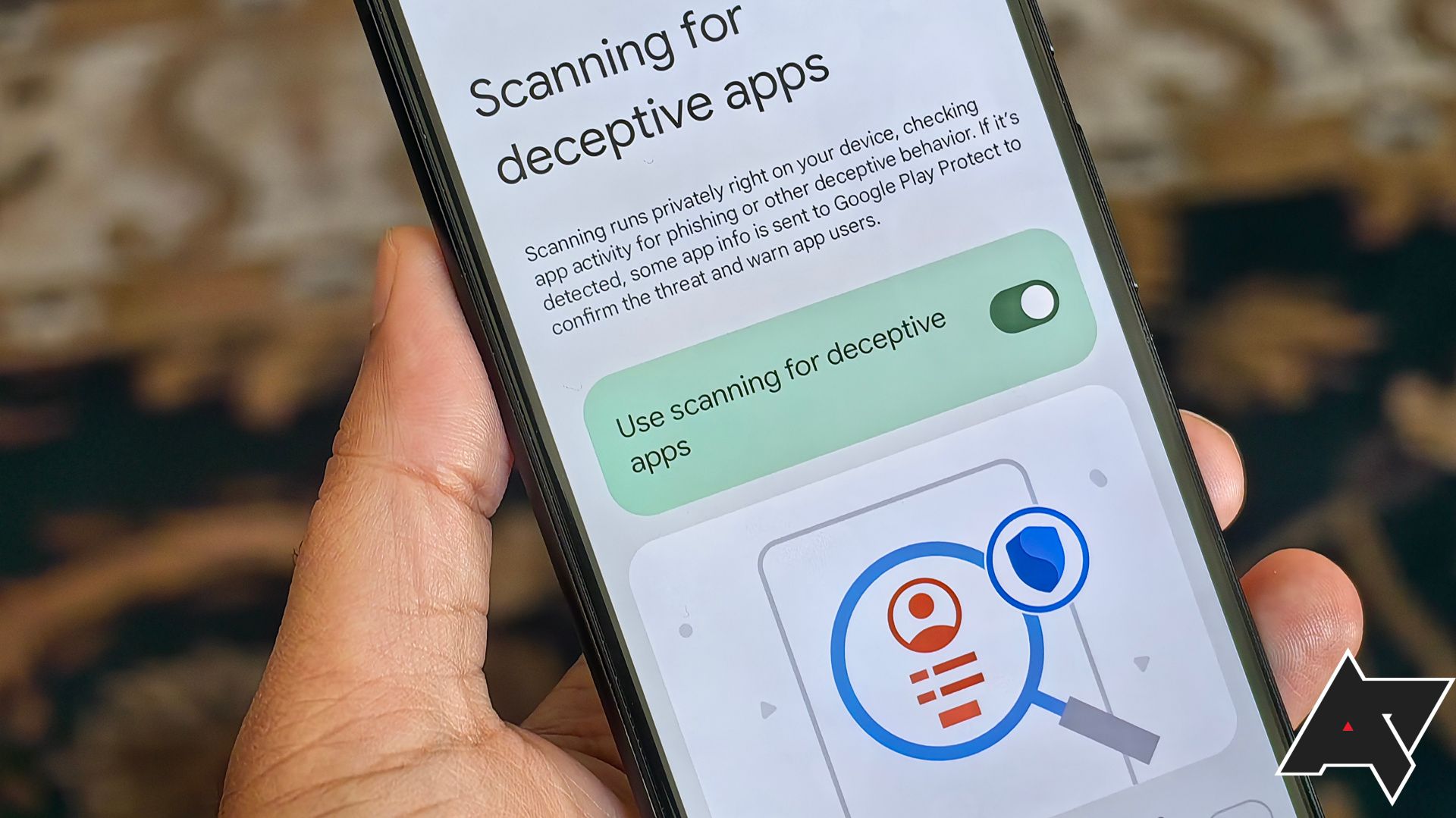
Google Play Protect is a built-in security feature that scans apps on your device for malware and other security threats. Make sure it's enabled in your Google Play Store settings. It works in the background, constantly monitoring your apps and alerting you if it detects anything suspicious.It'slike having a silent guardian watching over your device.
Be Careful with Public Wi-Fi
Public Wi-Fi networks are often unsecured, making them vulnerable to eavesdropping. Avoid accessing sensitive information, such as your bank account or email, while connected to public Wi-Fi. If you must use public Wi-Fi, consider using a VPN (Virtual Private Network) to encrypt your traffic and protect your data.Remember*: Free Wi-Fi isn't always free of risk.
Regularly Back Up Your Data
In the event that your device is infected with malware or you fall victim to a scam, having a recent backup of your data can be a lifesaver. Back up your photos, contacts, documents, and other important files to a secure cloud storage service or an external hard drive. That way, you won't lose everything if something goes wrong.Backup! Backup! Backup!
Educate Yourself and Others
Stay informed about the latest phishing scams and security threats. The more you know, the better equipped you'll be to protect yourself and your loved ones. Share this information with your friends and family, especially those who may be less tech-savvy. Knowledge is power, and in the fight against phishing, it's your best weapon.Spreadthe word!
Reacting to an Attack:Damage Control and Recovery
What to Do If You Suspect You've Been Phished
If you suspect you've fallen for a phishing scam, don't panic. Thefirststep is to take immediate action to mitigate the damage.
Change Your Passwords: Immediately change your passwords for all your important accounts, especially your bank account, email, and social media. Contact Your Bank: If you provided your bank account information to the scammers, contact your bank immediately to report the fraud and request a freeze on your account. Report the Scam: Report the phishing scam to the Federal Trade Commission (FTC) and the Internet Crime Complaint Center (IC3). Monitor Your Credit Report: Check your credit report regularly for any signs of identity theft. Scan Your Device for Malware: Run a full scan of your device with a reputable antivirus app to detect and remove any malware. Alert Your Contacts: If the scammers gained access to your email or social media accounts, alert your contacts that your account has been compromised and they should be wary of any suspicious messages they receive from you.
Cleaning Up a Malware Infection
If your device has been infected with malware, follow these steps to clean it up: Boot into Safe Mode: Restart your device in Safe Mode, which disables all third-party apps. Uninstall Suspicious Apps: Uninstall any apps that you recently installed or that seem suspicious. Run a Malware Scan: Run a full scan of your device with a reputable antivirus app. Factory Reset (If Necessary):If the malware infection is severe, you may need to perform a factory reset to completely wipe your device and restore it to its original settings.Be warned, this will erase all your data, so make sure you have a recent backup before proceeding.
Preventing Future Attacks
Once you've recovered from a phishing attack or malware infection, take steps to prevent future attacks. Review your security practices and implement the tips outlined above. Stay vigilant, be skeptical, and always err on the side of caution. Remember, the best defense is a good offense.
Staying Ahead of the Curve: Android Security in the Future
The threat landscape is constantly evolving, so it's important to stay ahead of the curve when it comes to Android security. New phishing tactics and malware strains emerge every day, so you need to be proactive in protecting your device and your data. Subscribe to security blogs, follow security experts on social media, and stay informed about the latest threats. The Android operating system constantly changes; stay up to date with the latest security features!
The Future of Phishing
Phishing attacks are becoming increasingly sophisticated, using advanced techniques such as AI-powered impersonation and deepfake technology. It's becoming harder and harder to distinguish between legitimate communications and fraudulent ones. In the future, it will be even more important to be skeptical and to verify the authenticity of any request for your personal information.
The Role of AI in Security
Artificial intelligence (AI) is playing an increasingly important role in both phishing attacks and security defenses. Scammers are using AI to create more convincing phishing emails and to automate their attacks. However, security companies are also using AI to detect and prevent phishing attacks. AI can analyze vast amounts of data to identify patterns and anomalies that would be impossible for humans to detect.
The Importance of User Education
Ultimately, the most important factor in protecting yourself from phishing and scams is user education. The more you know about the threats and how to avoid them, the better equipped you'll be to stay safe online. Share this knowledge with your friends and family, and help them protect themselves from the dangers of the digital world.
Staying vigilant and informed is thebestway to maintain Android security. Protect your device from phishing and scams, and navigate the online world with confidence!

Post a Comment for "Android Security: Protecting Your Device from Phishing and Scams"
Post a Comment