Android Customization: Changing Your Device's Interface and Appearance
Unleash Your Inner Designer: Android Customization for a Personalized Look
Android Customization: Changing Your Device's Interface and Appearance. Is your Android phone feeling a little... bland? Ready to ditch the cookie-cutter look and inject some personality into your pocket-sized companion? This guide will walk you through everything you need to know to transform your Android device from ordinary toextraordinary.
Android Customization: Changing Your Device's Interface and Appearance
Hey there, fellow Android enthusiasts! Ever feel like your phone is just…everyone else'sphone? You pick it up, unlock it, and bam, the same icons, the same widgets, the same wallpaper as a million other people. It's like living in a perfectly organized, but utterly soulless, tech dystopia. Fear not, because you've stumbled upon the ultimate guide to breathing life and personality back into your Android device throughcustomization.
Think of your phone's interface as a blank canvas, just waiting for your artistic touch. Whether you're aiming for a minimalist aesthetic, a vibrant explosion of color, or something uniquelyyou, Android offers a dizzying array of customization options.
But where do you even start? The sheer volume of choices can feel overwhelming. Do you need to root your phone? (Spoiler alert: probably not!) What's a launcher anyway? And what's the deal with icon packs?
We're going to break it all down, step by step, so you can confidently navigate the world of Android customization and create a phone that truly reflects your style and preferences. Forget being a clone – let's make your phone astatement.
This isn't just about aesthetics, either. A well-customized phone can actually improve your user experience, making it more efficient and enjoyable to use. Think faster access to your favorite apps, streamlined widgets that display exactly the information you need, and a visually appealing interface that makes you genuinely happy every time you look at it.
So, buckle up, because we're about to dive deep into the exciting world of Android customization. Get ready to transform your phone from a generic slab of glass and metal into a personalized powerhouse. And who knows? You might even impress your friends with your newfound tech wizardry. Ready to unlock the potential of your Android device? Let's get started!
Why Bother with Android Customization?
Let's be honest, taking the time to customize anything can feel like a chore. Why spend precious minutes fiddling with settings and downloading apps when you could be scrolling through social media or binge-watching your favorite show? Well, friends, the benefits of Android customization go far beyond mere aesthetics.
Personal Expression: This is the big one. Your phone is an extension ofyou. It's something you carry with you everywhere, a constant companion in the modern world. Customizing your phone allows you to express your personality, your interests, and your unique style. Think of it as digital self-expression. A carefully chosen wallpaper, a curated set of widgets, and a unique icon pack can all contribute to a phone that feels truly personal.
Improved User Experience: Customization isn't just about looks; it's about functionality, too. A well-customized phone can be more efficient and enjoyable to use. For example, you can use widgets to display important information at a glance, create custom app shortcuts for quick access to your favorite features, and optimize your home screen layout for maximum efficiency.
Increased Productivity: Streamlining your phone's interface can significantly boost your productivity. By removing clutter, organizing your apps, and utilizing widgets effectively, you can reduce distractions and focus on the tasks at hand. Think of it as creating a digital workspace that's tailored to your specific needs.
Standing Out from the Crowd: Let's face it, most smartphones look pretty much the same. Customization allows you to break free from the pack and create a device that stands out. Imagine the envy of your friends when they see your unique home screen layout and eye-catching icon pack.
Reviving an Old Phone: Giving your aging phone a new look can make it feel fresh and exciting again. Sometimes, all it takes is a new launcher, a vibrant wallpaper, and a few well-placed widgets to breathe new life into an old device.
Ultimately, Android customization is about making your phone workfor you. It's about creating a device that's not only functional but also aesthetically pleasing and personally meaningful. So, ditch the default settings and embrace the power of customization. Your phone (and your sanity) will thank you for it.
Core Elements of Android Customization
Okay, so you're sold on the idea of customizing your Android phone. But where do you actually start? Here's a breakdown of the key components you'll be working with: Launchers:Think of a launcher as thegatewayto your Android experience. It's the software that controls your home screen, app drawer, and overall interface. Launchers are arguably the most impactful customization tool available, allowing you to change everything from icon grids to transition animations. Popular choices include Nova Launcher, Action Launcher, and Lawnchair Launcher. These provide extensive control over look and feel.
Example:_Nova Launcher is known for its extreme customizability, allowing you to tweak everything from icon sizes to gesture controls._ Icon Packs:These are collections of custom icons that replace the default icons on your home screen and app drawer. With thousands of icon packs available on the Google Play Store, you can find one that perfectly matches your aesthetic. Whether you're into minimalist designs, vibrant colors, or retro themes, there's an icon pack out there foreveryone.
Example:_Linebit icon pack offers a sleek, neon-style aesthetic that can add a futuristic vibe to your phone._ Wallpapers:A simple yet powerful way to personalize your phone. Choose from static images, live wallpapers, or even use a wallpaper app that automatically changes your background throughout the day. A wallpaper can set the mood and tie your entire customization scheme together.
Example:_Using a landscape wallpaper can provide a calming and scenic element to your phone's background._ Widgets:These are mini-applications that live directly on your home screen, providing quick access to information and functionality. From weather forecasts and calendar appointments to music controls and news headlines, widgets can make your phone more efficient and informative.
Example:_A weather widget can provide real-time updates and forecasts directly on your home screen, eliminating the need to open a separate weather app._ Fonts:While not universally supported, some launchers and Android versions allow you to change the system font. This can subtly alter the overall look and feel of your phone. Be careful when choosing fonts, as some can be difficult to read.
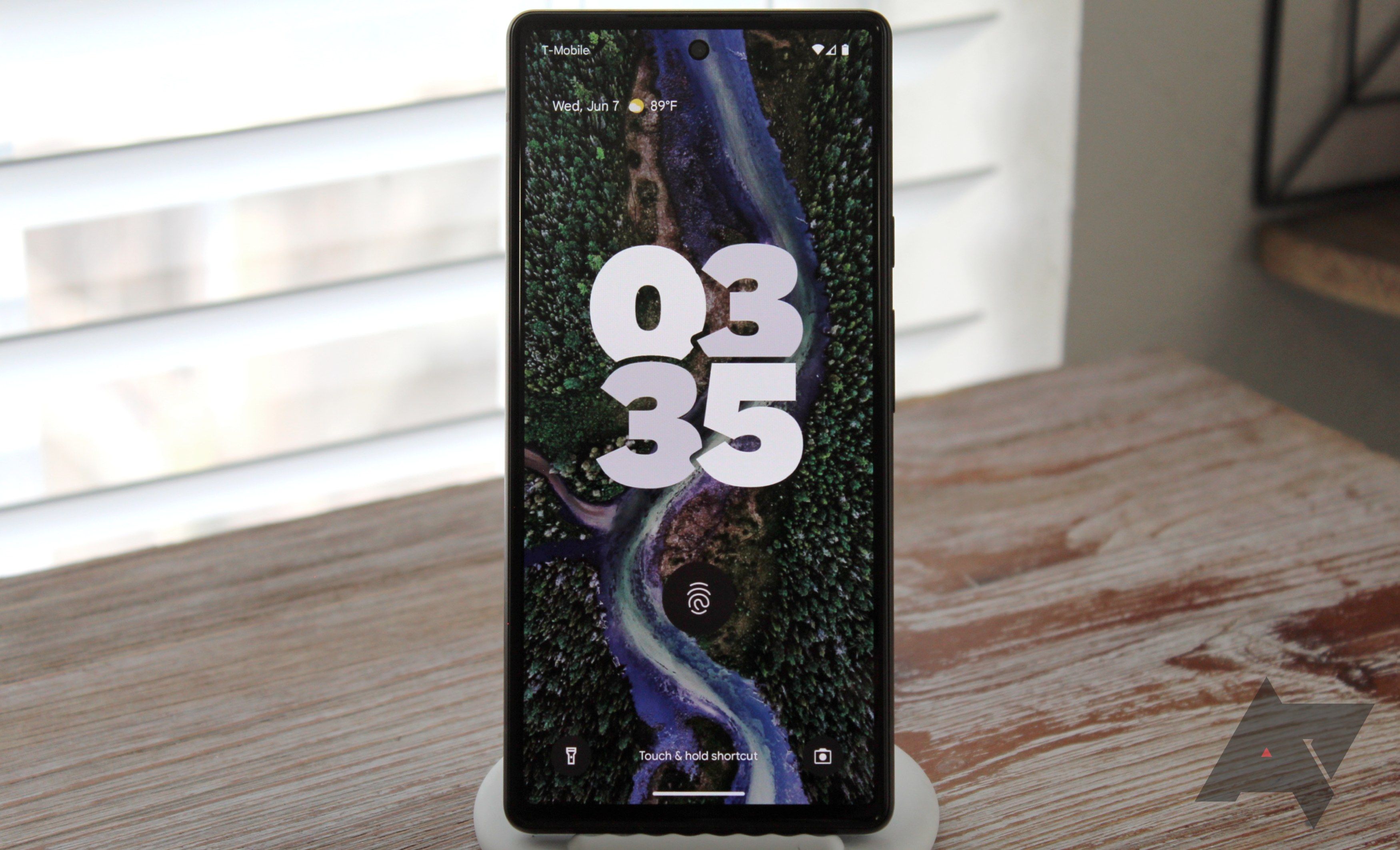
Example:_Using a different font can provide a unique text display._ Lock Screen Customization:Depending on your Android version and device manufacturer, you may have the ability to customize your lock screen. This can include changing the clock style, adding widgets, and choosing different unlock methods.
Example:_Adding a calendar widget to the lock screen is helpful for people who use calendars frequently._
By mastering these core elements, you'll be well on your way to creating a truly personalized Android experience. Don't be afraid to experiment and try different combinations until you find a setup that you love. Remember, the goal is to make your phoneyour own.
Step-by-Step Guide to Android Customization
Alright, let's get our hands dirty! Here's a step-by-step guide to customizing your Android device. We'll focus on the most common and impactful changes you can make.
Choosing and Installing a Launcher:
Head to the Google Play Store and search for "Android launcher." You'll find aplethoraof options, so read reviews and compare features before making a decision. Some popular choices include Nova Launcher, Action Launcher, Lawnchair Launcher, and Smart Launcher.
Once you've chosen a launcher, download and install it.
After installation, the phone will ask you to choose what launcher you want to use as default.
Follow the on-screen instructions to set your new launcher as the default. This might involve navigating to your device's settings and selecting it from the "Home app" or "Default apps" menu.
Note: When you switch from the old default launcher to a new one, the old layout will be gone. Customizing Your Launcher:
Home Screen Layout: Most launchers allow you to adjust the number of rows and columns on your home screen, as well as the size of icons and widgets. Experiment with different layouts to find one that suits your needs.
Icon Packs: To apply an icon pack, open your launcher's settings menu and look for an "Icon pack" or "Theme" option. Select the icon pack you want to use, and the launcher will automatically apply the new icons.
Gestures: Many launchers support gesture controls, allowing you to perform actions like opening the app drawer, launching a specific app, or accessing quick settings with a swipe or pinch. Customize these gestures to streamline your workflow.
App Drawer: Customize the look of your app drawer by changing the grid layout, sorting apps alphabetically or by usage, and adding folders to organize your apps. Finding and Applying Wallpapers:
Built-in Wallpapers: Most Android devices come with a selection of pre-installed wallpapers. To access these, long-press on your home screen and select Wallpapers.Wallpaper Apps: The Google Play Store is home to a vast collection of wallpaper apps, offering everything from stunning nature photography to abstract art. Popular choices include Zedge, Walli, and Backdrops.
Live Wallpapers: Live wallpapers are animated backgrounds that can add a dynamic touch to your home screen. Keep in mind that live wallpapers can consume more battery power than static wallpapers. Adding and Customizing Widgets:
To add a widget, long-press on your home screen and select Widgets.Browse the list of available widgets and choose the one you want to add.
Drag the widget to your desired location on the home screen.
Many widgets are customizable, allowing you to adjust their size, color, and displayed information.
Remember, customization is ajourney, not a destination. Don't be afraid to experiment and try different things until you find a setup that you truly love.
Advanced Android Customization Techniques
Ready to take your Android customization skills to the next level? Here are some advanced techniques that can help you create a truly unique and personalized experience.
Substratum and Custom ROMs (Use with Caution!):
Substratum: Substratum is a theming engine that allows you to apply system-wide themes to your Android device. This can include changing the look of the status bar, navigation bar, settings menu, and other system elements.Note: Substratum requires root access on some devices and can be complex to set up. Ensure you understand the risks before proceeding.
Custom ROMs: Custom ROMs are modified versions of the Android operating system that offer a wide range of customization options and features. Installing a custom ROM can completely transform your device's interface and functionality.Note: Installing a custom ROM requires unlocking your device's bootloader, which can void your warranty. Research thoroughly and follow instructions carefully to avoid bricking your device. KLWP (Kustom Live Wallpaper):
KLWP is a powerful app that allows you to create completely custom live wallpapers and widgets. With KLWP, you can design interactive backgrounds, animated widgets, and dynamic information displays that respond to your device's data. KLWP has a steep learning curve, but the results can bestunning. Tasker:
Tasker is an automation app that allows you to create custom tasks and profiles that automate various aspects of your Android device. With Tasker, you can automatically change your wallpaper based on the time of day, disable notifications when you're at work, or even create custom voice commands. Custom Boot Animations:
For rooted devices, you can change the boot animation – the animation that plays when your phone starts up. There are numerous custom boot animations available online, or you can even create your own.
These advanced techniques offer a level of customization that goes far beyond the basics. However, it'scrucialto proceed with caution and research thoroughly before attempting any of these modifications. Incorrectly flashing a custom ROM or using Substratum without proper knowledge can potentially damage your device.
Resources for Android Customization Inspiration
Feeling inspired but not sure where to start? Here are some resources to help you find inspiration and ideas for your Android customization journey: Reddit: Subreddits like r/Android Themes, r/androidcustomization, and r/kustom are great places to find inspiration, share your own setups, and ask for help from the community. You Tube: Search for "Android customization" on You Tube to find tutorials, reviews, and showcases of amazing Android setups. Google Images: Use Google Images to search for "Android home screen setups" or "Android customization ideas" to find visual inspiration. My Color Screen: My Color Screen is a website dedicated to showcasing beautiful and creative Android home screen setups.
Remember, the best way to find inspiration is to explore and experiment. Don't be afraid to try new things and see what works for you. And most importantly,have fun!
Final Thoughts:Embrace Your Unique Android Style
Congratulations, you've reached the end of this comprehensive guide to Android customization! By now, you should have a solid understanding of the key elements involved and be well-equipped to transform your Android device into a personalized masterpiece.
Remember, Android customization is all about expressing your individuality and creating a device that truly reflects your style and preferences. Don't be afraid to experiment, try new things, and break the mold.
The world of Android customization is constantly evolving, with new launchers, icon packs, and customization tools appearing all the time. Keep exploring, stay curious, and never stop tweaking your phone until it'sperfect.
So, go forth and unleash your inner designer! Customize your Android device to your heart's content and show the world your unique style.
Call to Action
Ready to put your newfound knowledge into action? Download a new launcher or icon packtodayand start transforming your Android device. Share your customized home screen on social media and tag us – we'd love to see what you create!
Motivation
The power to personalize your technology is in your hands. Make your phone not just a tool, but an extension ofyou. What are you waiting for?

Post a Comment for "Android Customization: Changing Your Device's Interface and Appearance"
Post a Comment